What is a Palpabl Organization?
A Palpabl organization is our platforms key attribute that dileneates a client and their users inside of the Palpabl platform. Users belong to an organization and their roles such as Billing Admin, Netbox Administrator, etc. are assigned at the organization level.In order to modify an organization you must have privelages associated with the Organization Admin role.
How can I create an Organization?
In order to create an organization you must follow the steps to sign up. During the sign-up once you have validated your email you will be asked to create an organization.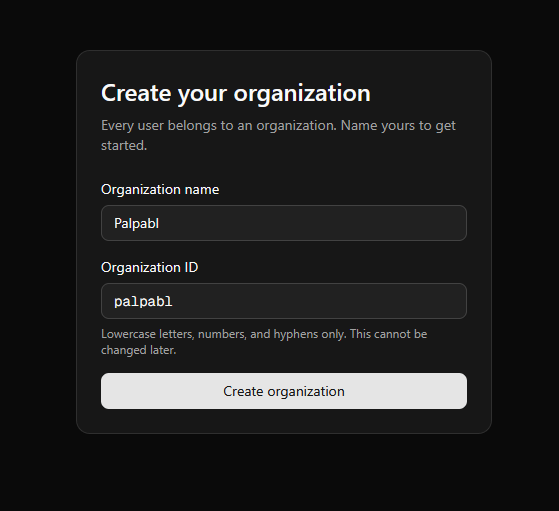
Manage Users
If you have Organization Owner or Organization Admin privelages then you can manage your organization by clicking the Manage Organization drop down from the user drop down menu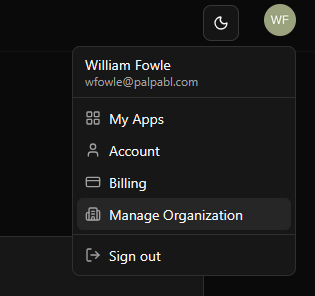
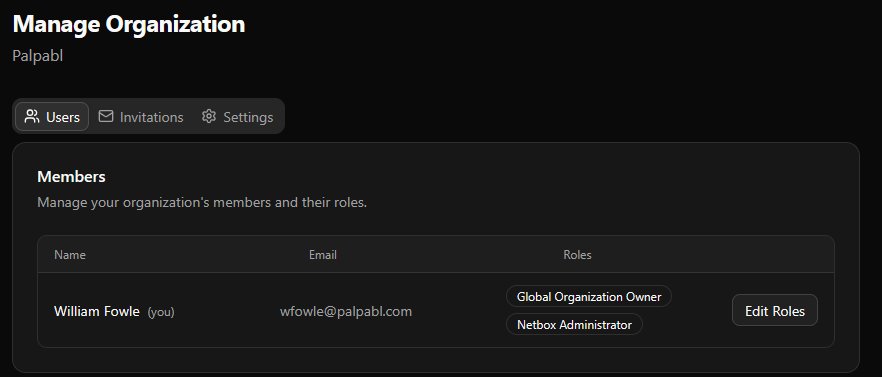
There must always be at least one user that has the
Global Organization Owner role. Palpabl will not allow you to remove that role from a user if they are the only user that has that role.Inviting Users to your organization
You can invite users to your organization by using the Invitations menu.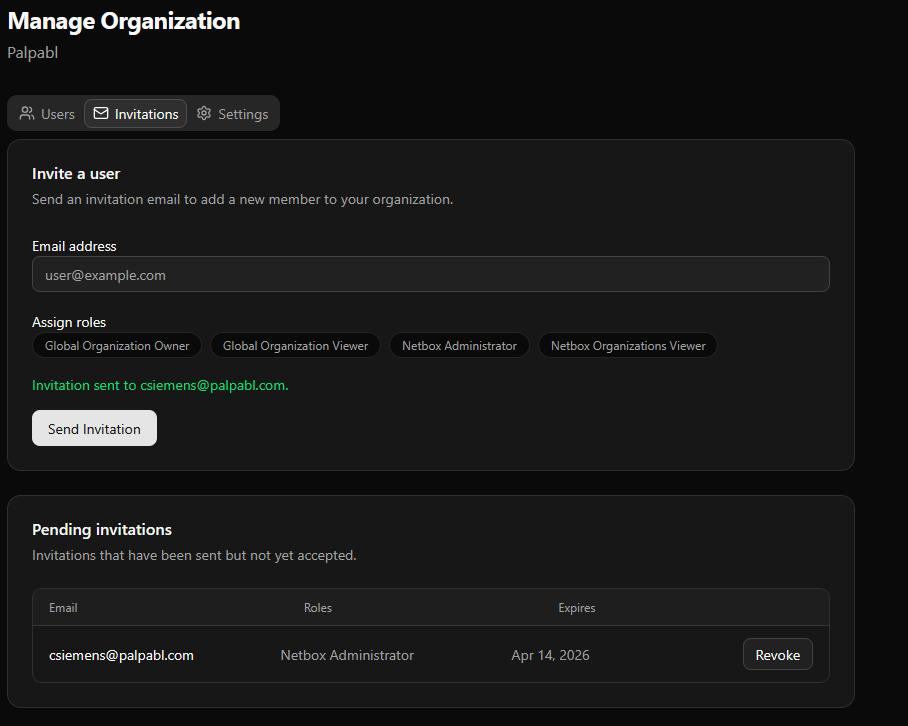
Send Invitation button. From there the user should recieve an email from Palpabl inviting them to your org. In order to join the user will have to accept the invitation from their email.
In the pending invitations field you can use the revoke button to undo invitations that have not already been accepted.